BrainPOP’s Make-a-Movie
Role: Lead Product Designer
The Goal
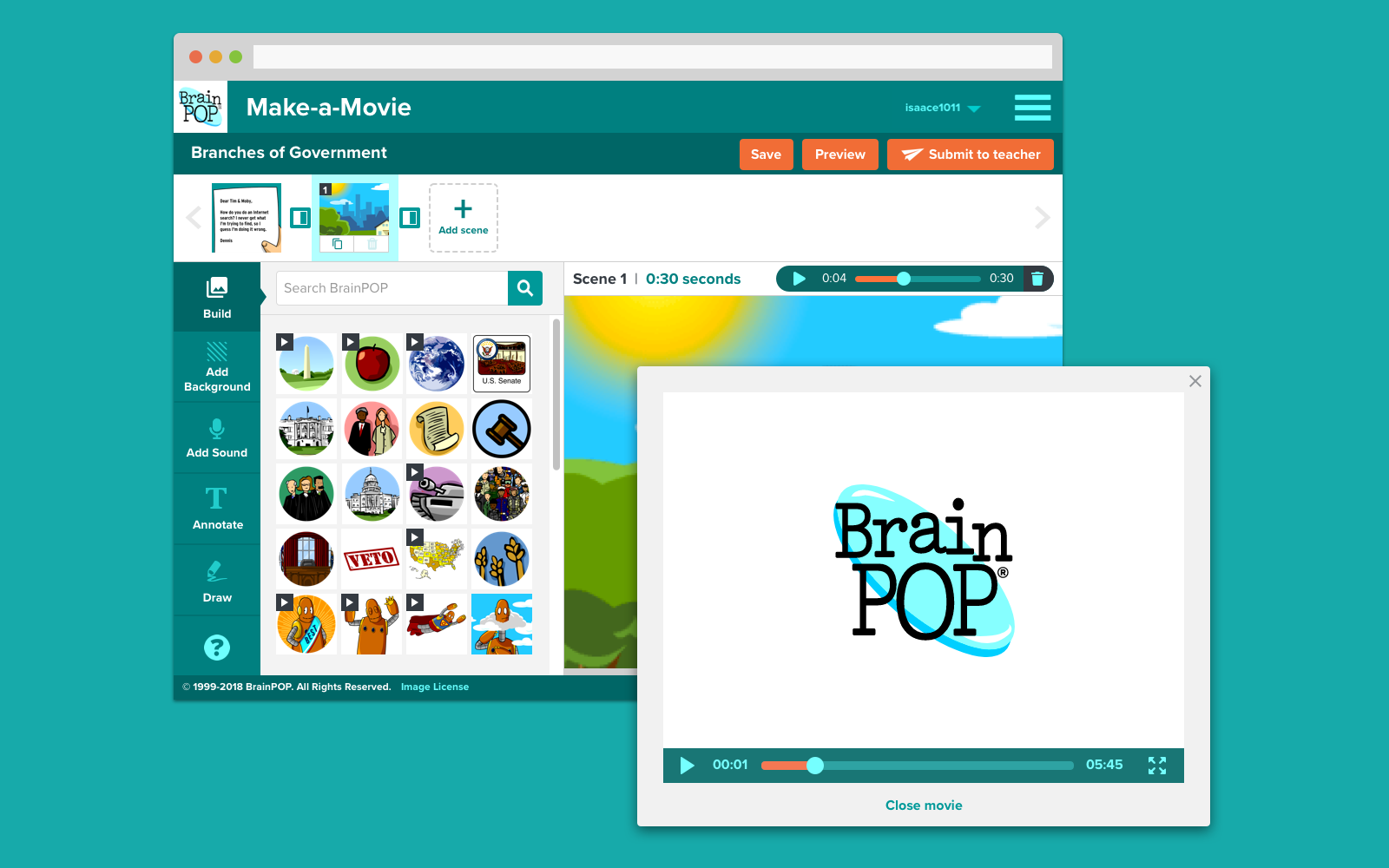
To create a new feature that allows students to show what they know about a topic by creating a simple BrainPOP-style video that can be made in one class period.
My Role
This was a 6 month-long project where we designed a whole new creativity feature for BrainPOP. The team consisted of myself as the product designer, a researcher, a product manager, and an engineer. We shipped the new feature in Fall 2017 for Back-to-School.
Step 1: Research
We talked to 16 teachers who have done movie-making in their classroom. The first 8 teachers don’t rely on movie making as a core practice in their curriculum. Most of these teachers had made movies inspired by BrainPOP. The second 8 teachers frequently do movie-making projects in their classrooms. They use movie-making as core parts of their curriculum. Along with asking questions about their process, we asked to collaborate more deeply with these teachers’ classrooms during a movie-making project.
Our main takeaways from the interviews were:
Before making the movie, students research, write scripts, and often make storyboards.
Movies are made in a few class periods. Often research, storyboarding, and writing is done over a longer period - actually movie making it a shorter process.
Teachers report that students like to record videos with their own voices.
Teachers and students like to use the BrainPOP characters in their movies.
Tools that offer customization, but not too much customization, are engaging and fun.
Many movie projects focused on students explaining subjects as opposed to telling stories.
Step 2: Brainstorming, Sketching, and Wireframing
As we gather our insights from the interviews, we wrote up user stories and prioritized usability issues in order of need and to help shape the product roadmap for the quarter.
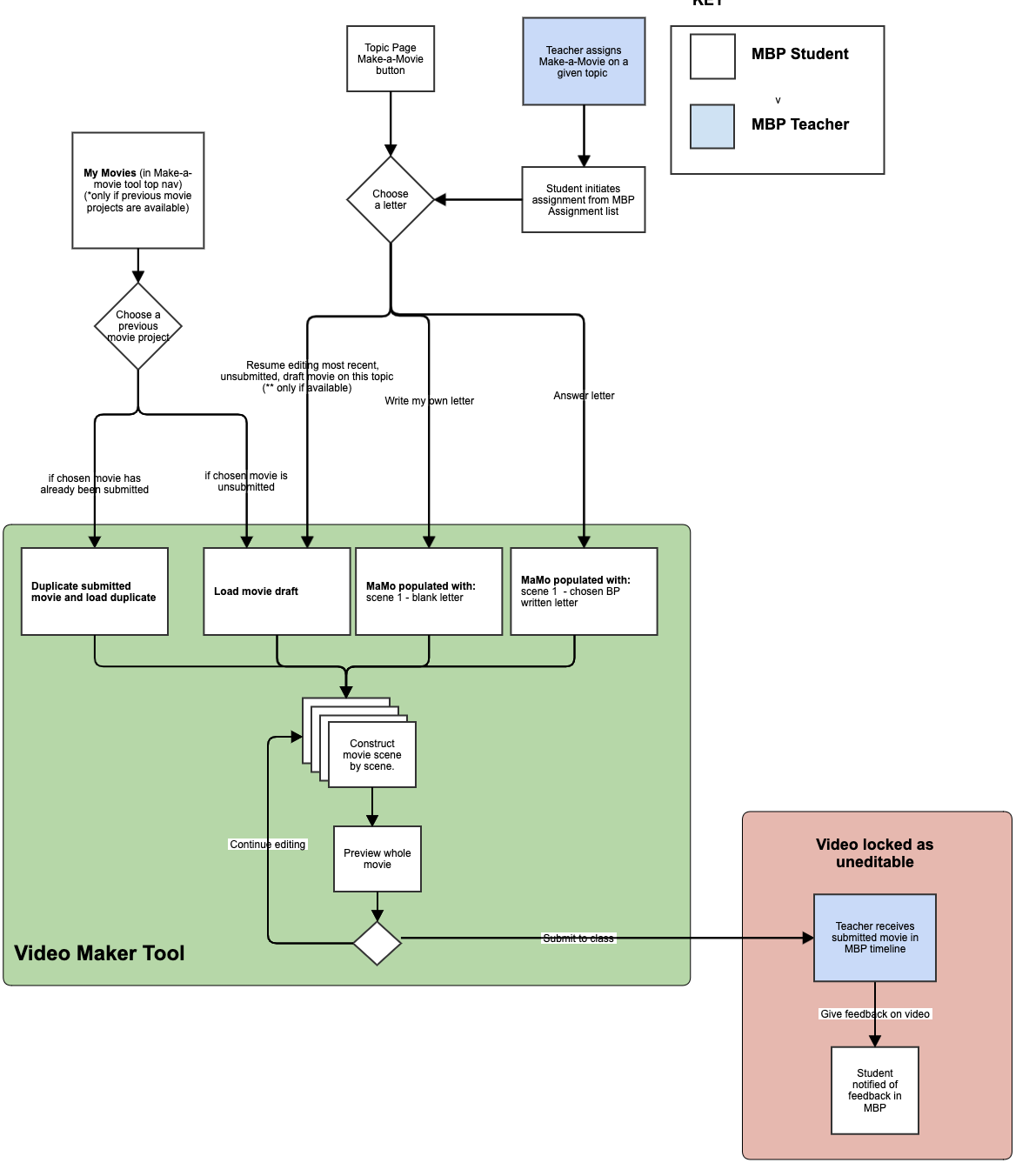
The team came up with a Minimum Marketable Product that would include:
letter prompts, just like BrainPOP movies, to encourage students to direct educational videos that they research, record, and present
multiple scenes comprised of BrainPOP assets, images, and characters, and then record themselves presenting on their subject, just like Tim and Moby
approval of teachers and have them shared safely and securely within their classroom
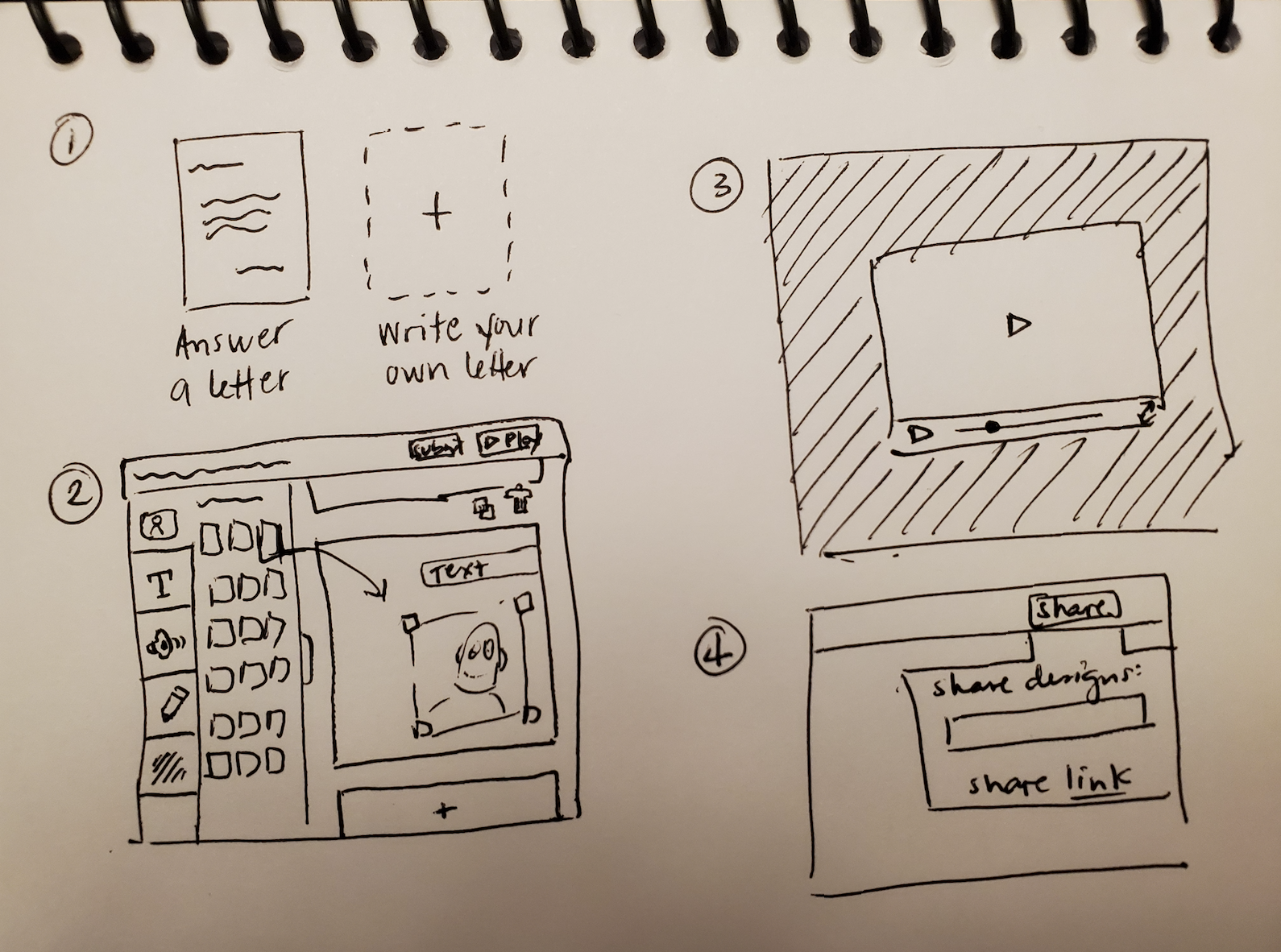
Based on the above features identified, I quickly mocked up some basic wireframes to gather feedback from Product, Engineering, and the users on the overall layout and structure of the interface. This involved establishing a standardized visual hierarchy and layout for the future wizard component.
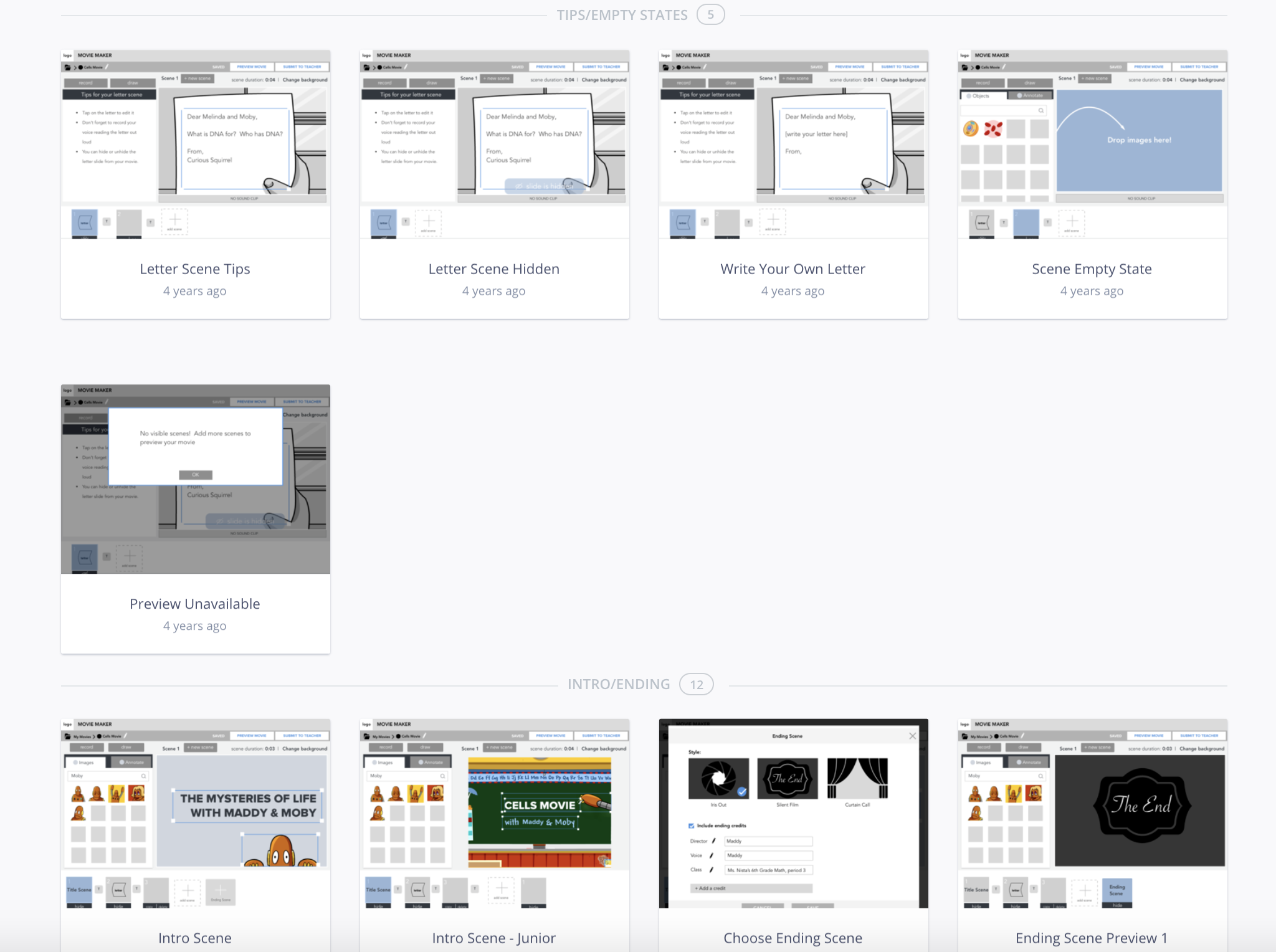
Step 3: Prototyping and Testing
Once we had the basics outlined, we started to prototoype the feature. I worked very closely with the engineer how to build it in html. During the test sessions, I observed how students and teachers interacted with the prototype. Overall, it was a positive experience where the students found the elements they wanted and were able to create what they’d imagined. The usability session revealed some issues with having the scene selection below the canvas as an issue for younger kids. We also need some rethinking of some usability processes: ordering/layering, redo/undo, resizing/line break for text.
Step 4: Developing the Designs
I created my high fidelity mockups in Sketch and then imported them into Abstract to allow the engineer to inspect the file. I worked very closely with him to spec out any missing interactions that were not covered in the high fidelity mockups. I design qa-ed each front-end ticket that was implemented to ensure it was aligned with the designs before it went live.
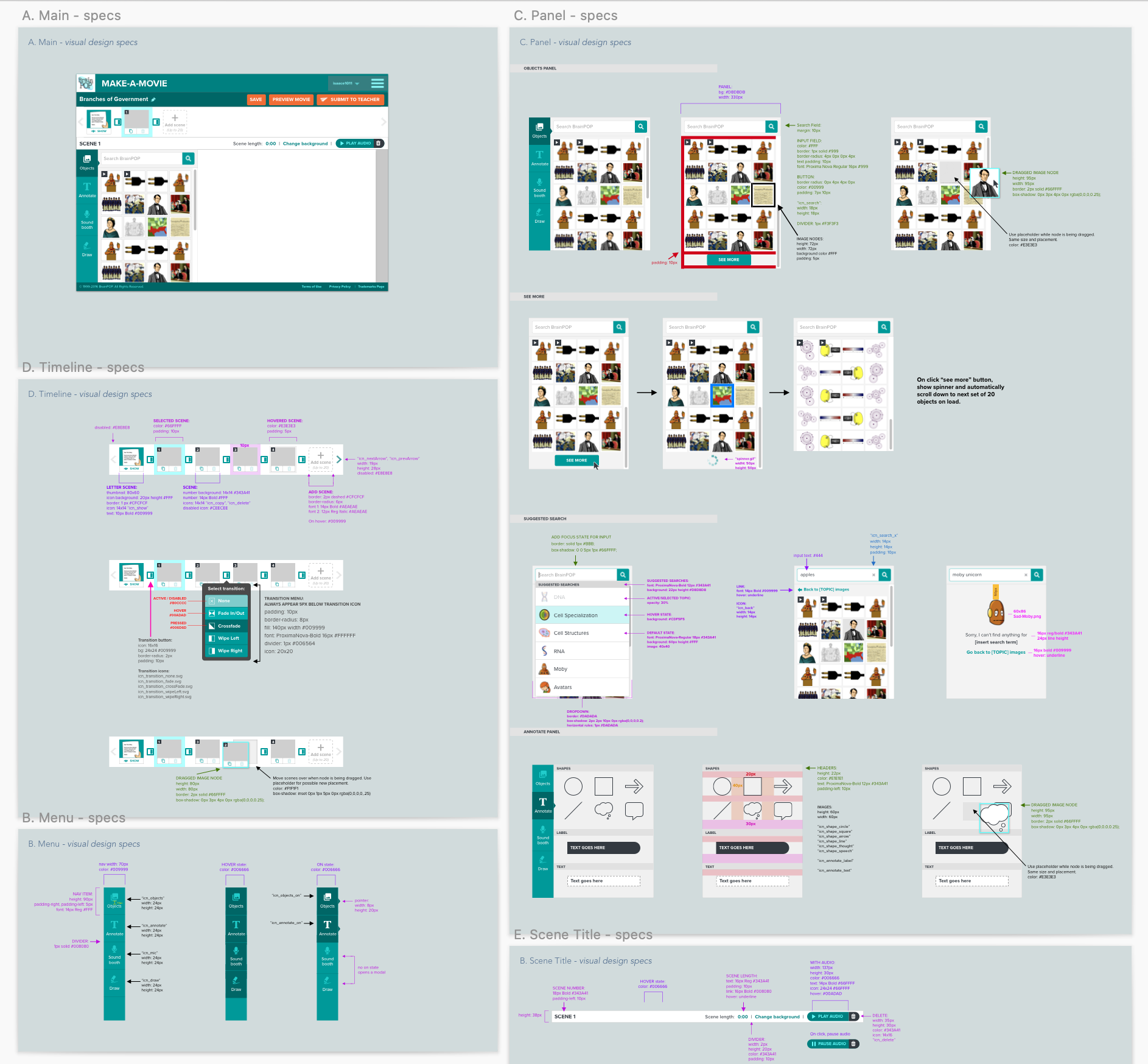
Layout and elements annotations
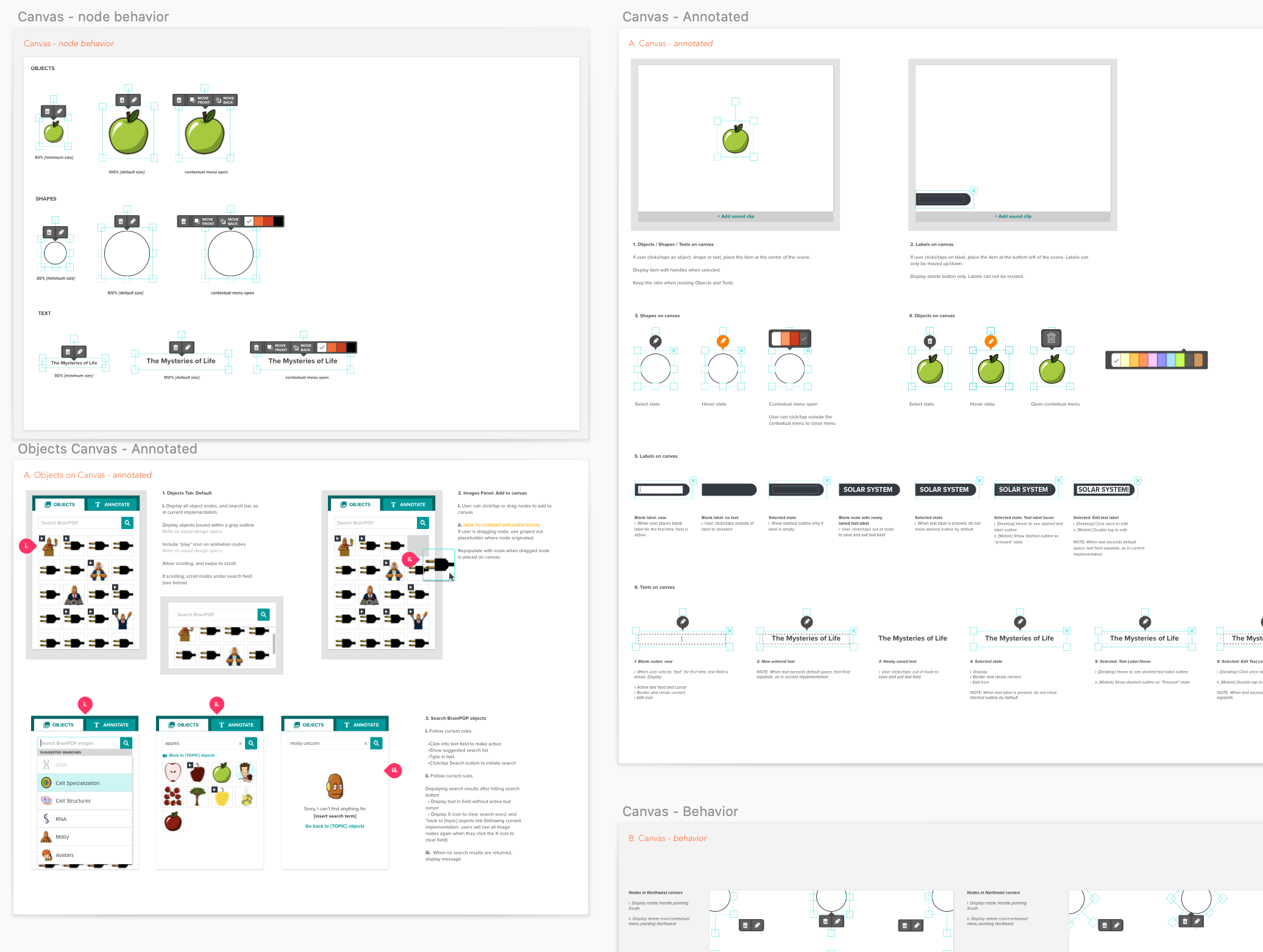
Canvas nodes behavior
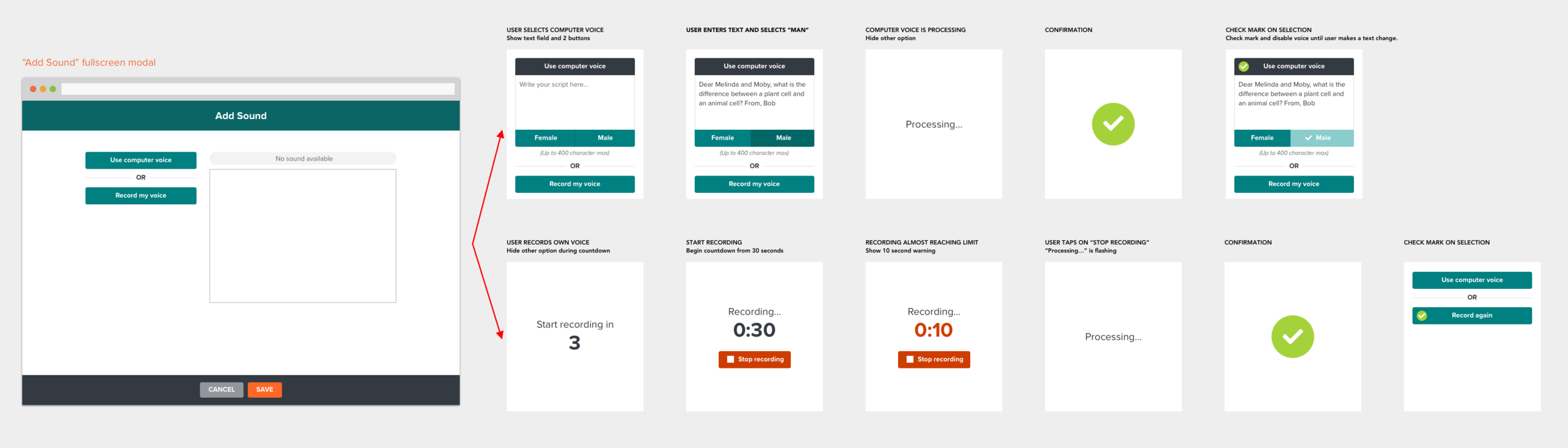
Sound booth flow
The Impact
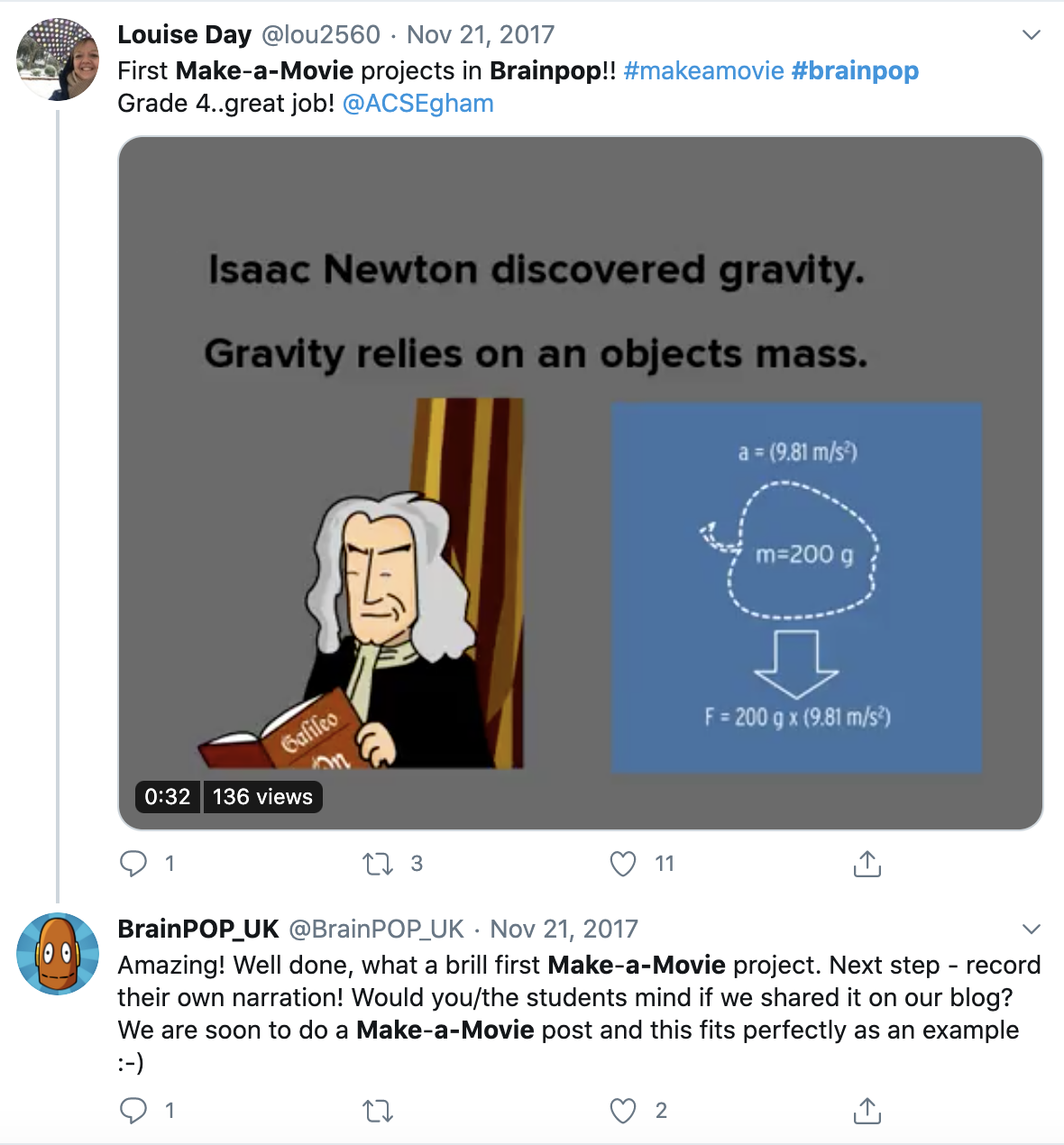
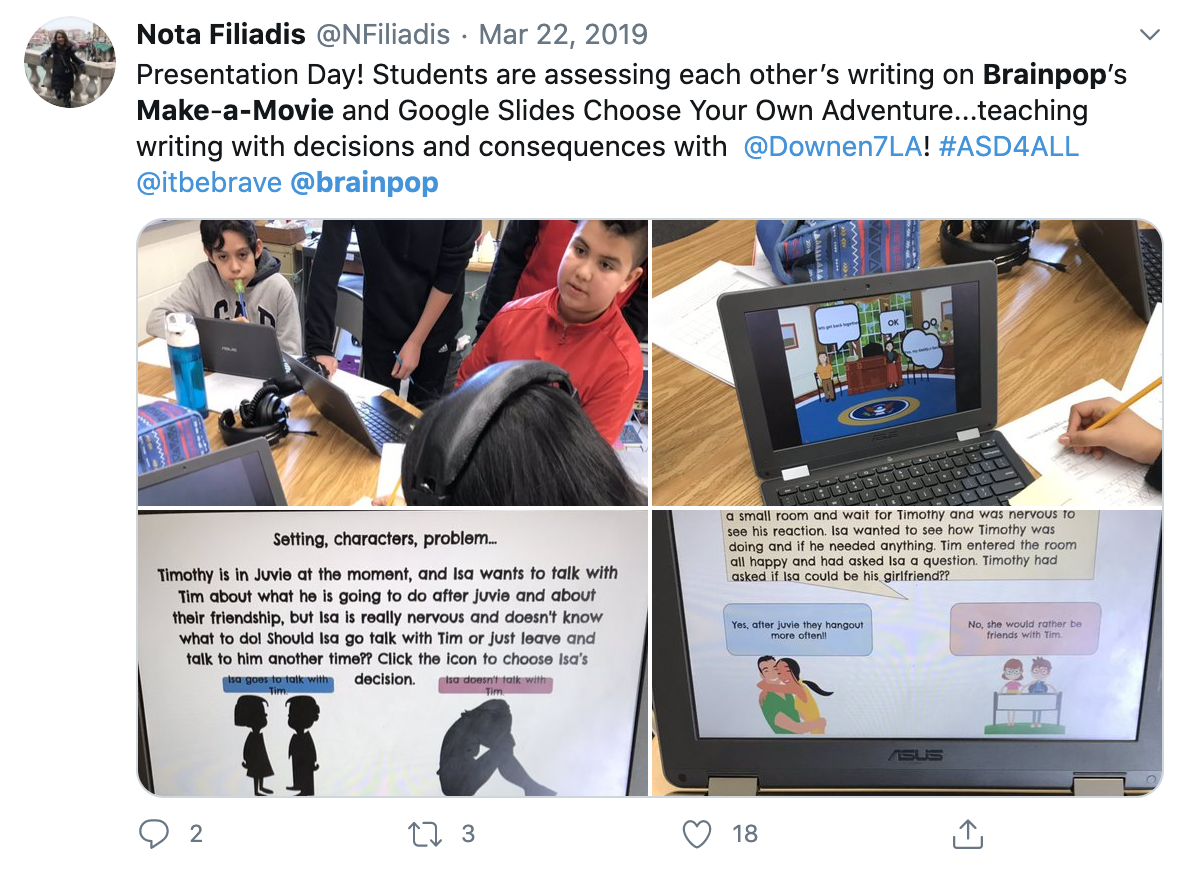
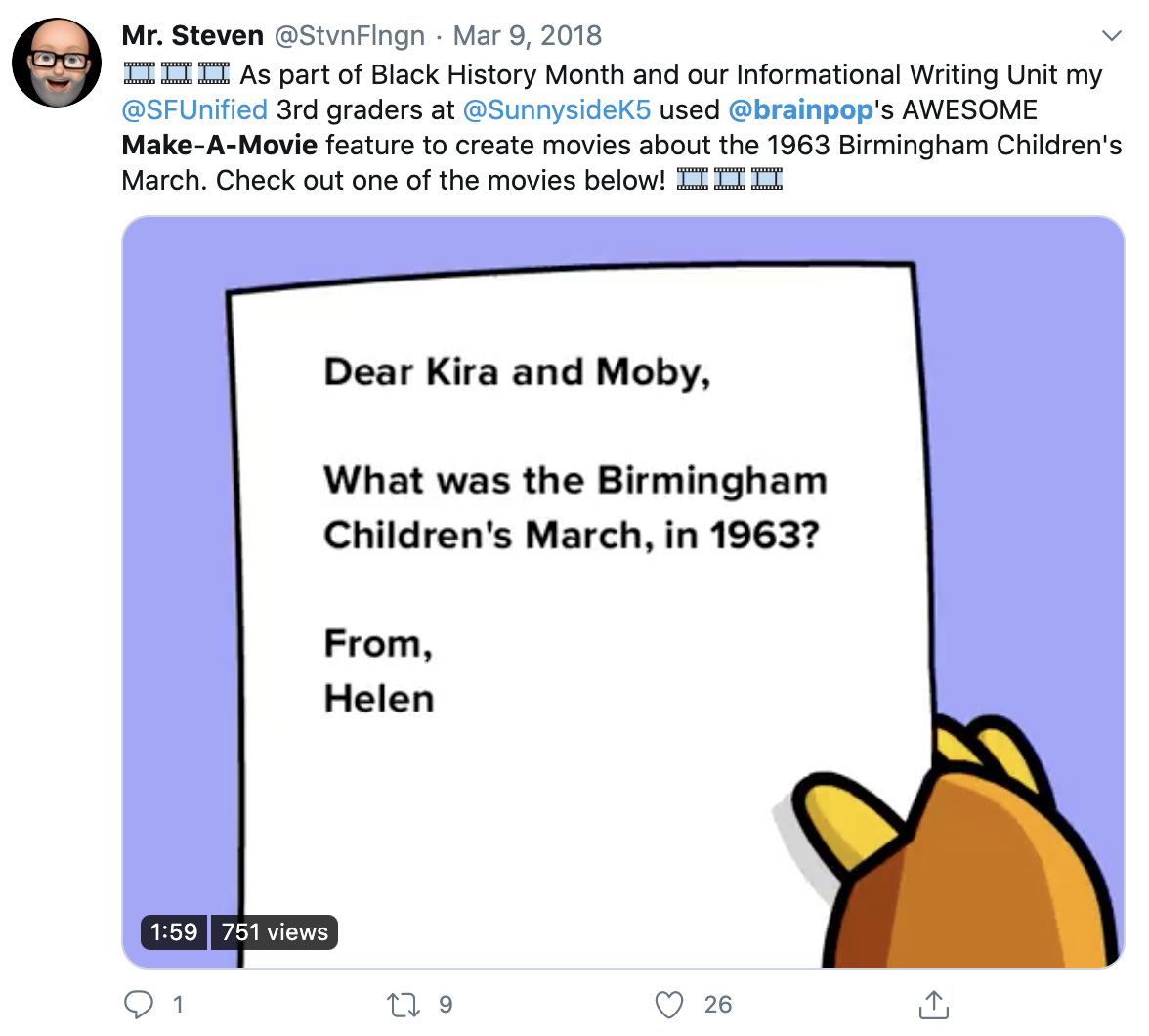
Since the implementation of the new feature Make-a-Movie, we have seen a significant increase in the number of student submissions. Students have created over 116,000 movies as of January 2020. The number of Make-a-Movie projects still grows 58% year over year therefore makes it the most popular active learning activity on BrainPOP.
Next Steps
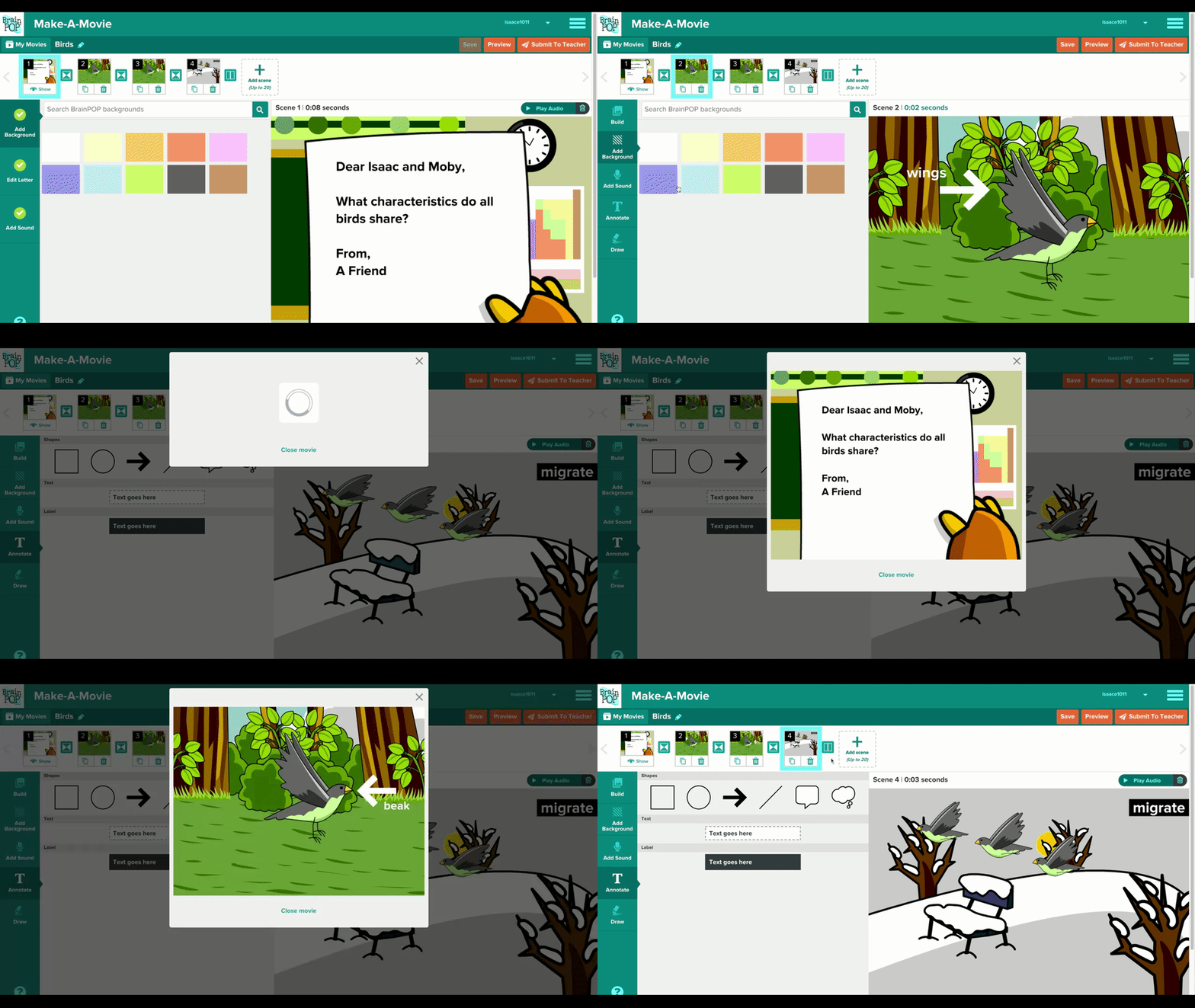
We’ve done more usability testings and added more enhancements on Make-a-Movie since the launch. Some examples are the ability to search for backgrounds, draw your own image, and adding Moby’s “Beep” in the sound library.
A lot of teachers have also been requesting this feature for their K-3 students. Next steps would be to explore how we can make the tool less complex for younger kids.